


Skip to content
Viewing: all (23)
  1. David Lowbridge From fixed values to behaviours Brand automationUX & UIDigital strategy
  2. Mike Leonard The web is fun Motion designUX & UITechnical validation
  3. Jara Santamaria Martinez Every year is a new brief PlatformsContent strategyTechnical validation
  4. Kristina Radonjic The work between the work Digital strategyMarketing
  5. Guanglun Wu Choosing the right tech stack Technical validationPlatformsDigital strategy
  6. Barry Cumberlidge Security deep dive Technical validationContent strategyDigital strategy
  7. David Lowbridge Startups are prototypes Digital strategyBrand automation
  8. Tara Heal Shapeshifting the Future UX & UIMarketing
  9. Tom Small The theme is the guardrail Brand automationPlatforms
  10. Barry Cumberlidge Your biggest asset in an RFP, your website SEOContent strategyDigital strategyMarketing
  11. Michael Gunner Cache Components: the right content at the right time PlatformsTechnical validationContent strategy
  12. David Lowbridge From static frames to a creative operating system Brand automationUX & UI
  13. Tom Small We build by leaving things out PlatformsDigital strategyUX & UI
  14. Michael Gunner Standardise the foundations, not the brand experience PlatformsBrand automation
  15. Charlie Clarke Letting type move Motion designUX & UI
  16. Andy Purbrick Putting video back where it belongs PlatformsTechnical validation
  17. Mike Leonard The cache that doubled as a coordinator PlatformsTechnical validation
  18. Andy Purbrick We test the revenue path Technical validationDigital strategy
  19. Mike Leonard Two months in Three.js, we started over Motion designTechnical validation
  20. Rhona Mackay The form we actually trust PlatformsTechnical validation
  21. Andy Purbrick The testbed nobody will see PlatformsTechnical validation
  22. Andy Purbrick Twenty-four modules, one wrapper PlatformsContent strategy
  23. Andy Purbrick We haven’t missed a Thursday in 33 weeks Content strategyMarketing

Twenty-four modules, one wrapper

Andy Purbrick 3 min read Platforms Content strategy

Every case study was its own Astro page. That was the first problem.

Twenty-four modules, one wrapper

Each page had its own layout logic, its own spacing decisions, its own way of handling full-bleed sections versus contained text. Some used inline styles. Some used one-off SCSS files. None of them agreed on what “default spacing” meant. Adding a new case study meant copying an old one, deleting most of it and hoping the parts you kept still worked together.

We needed a system where content authors write markdown and the layout stays consistent without anyone thinking about it.

The contract

The fix started with a single SCSS file: the contract. It defines every spacing and layout value the site is allowed to use, from page max-width and gutters to three tiers of vertical spacing and text measure widths. All fluid, all using CSS clamp() so they scale smoothly between mobile and desktop.

No component gets to invent its own spacing. Every module reads from these tokens. If a value isn’t in the contract, it doesn’t exist. One file changed, every page updates.
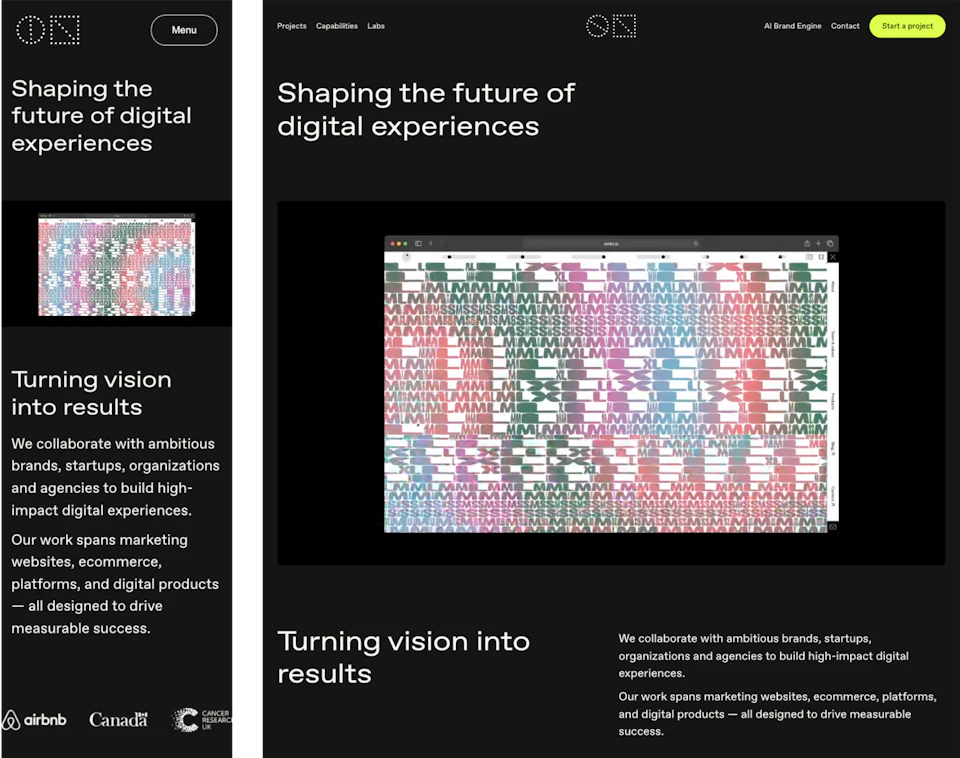
Side-by-side: the same case study page at mobile (375px) and desktop (1440px). Modules reflow and spacing stays proportional.
The same modules at two viewport widths, layout adapts, spacing stays proportional

Inside the wrapper

We built 24 components (Hero, TextColumns, Cards, ImageText, Slider, ClientQuote and 18 others) that all sit inside a single wrapper. The wrapper accepts a small set of layout attributes, each with a few named values that control width, spacing and proportion. CSS custom properties handle the rest.

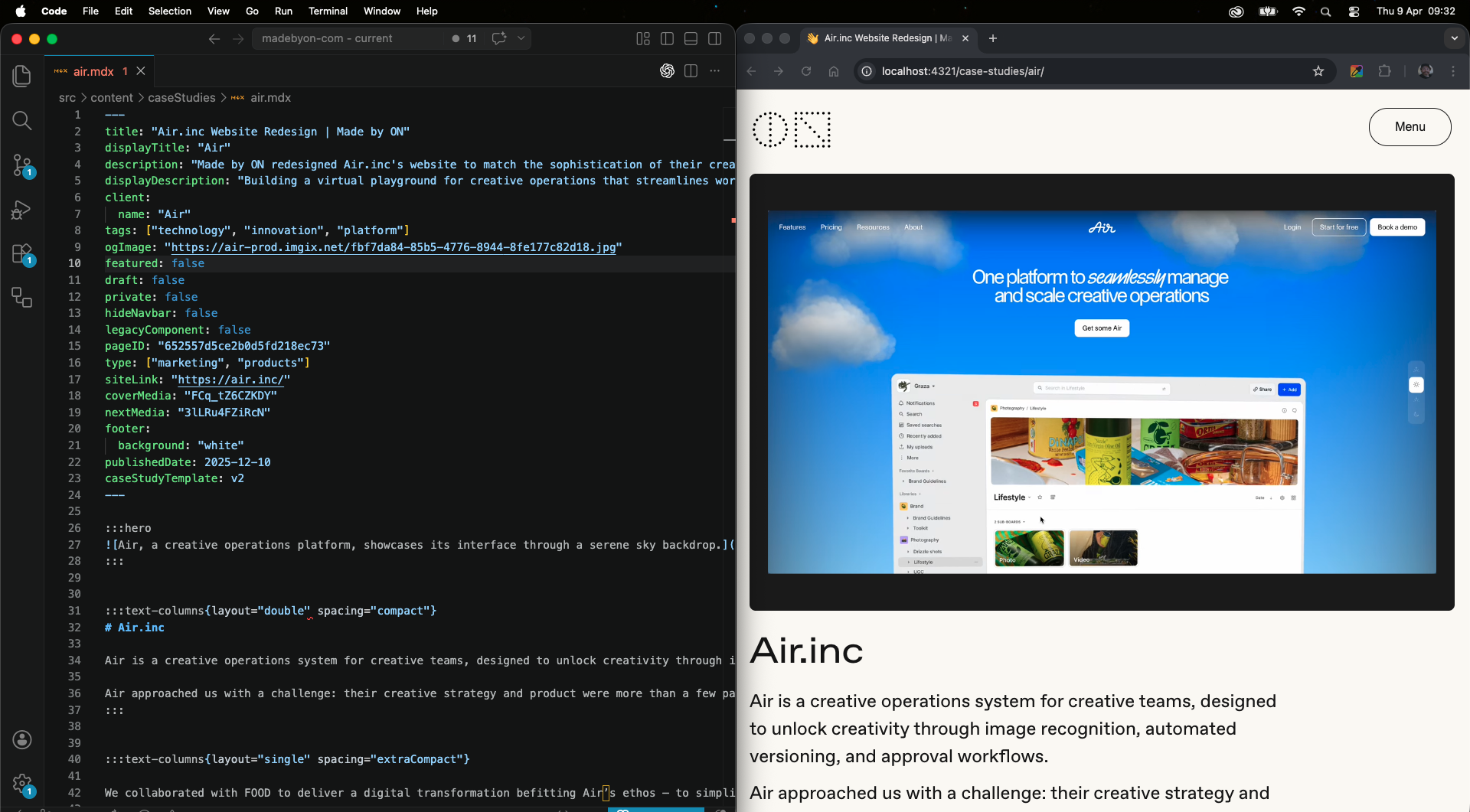
The content author never writes layout code. They write container directives in MDX:

:::text-columns{layout="double" spacing="compact"}
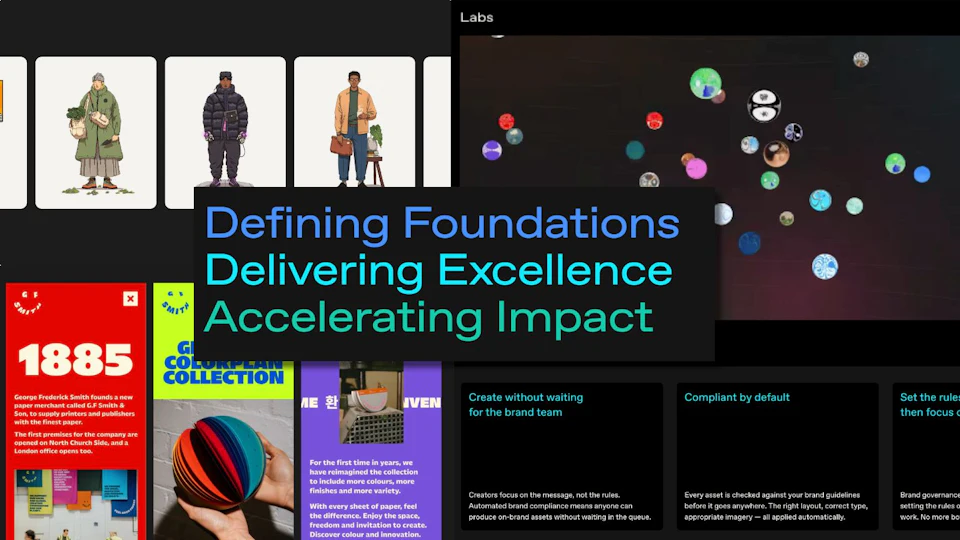
Mosaic of rendered module types cropped from real case studies: Hero, TextColumns, Cards, ClientQuote, Slider, ImageText.
A sample of the 24 modules. Each one only knows about its own content; the wrapper handles everything else

The case study template maps each directive name (hero, text-columns, image-text, client-quote) to the matching component. The author picks which modules they want and in what order. The system enforces how those modules look.

What modules don’t need to know

Twenty-two case studies and five landing pages now run through the same template. Before, each page was a standalone Astro file with its own layout logic.

The surprise was how little the modules need to know about each other. A Hero doesn’t care what follows it. A TextColumns block doesn’t know if it’s inside a case study or a landing page. The contract handles the shared rules, ModuleSection handles the shared structure and each module only worries about its own content.

What actually ships

A content author opens an .mdx file, writes directives, saves it and the page is done. No custom template, no per-page SCSS. A new case study that used to take a developer half a day now takes about twenty minutes. Client work gets published faster, and nobody has to ask a developer to adjust spacing.